Setting prices that actually book
Hourly, half day, lockout, weekly, monthly — what each rate type means, and why a "day" rate has to block the whole day.
The five rate types
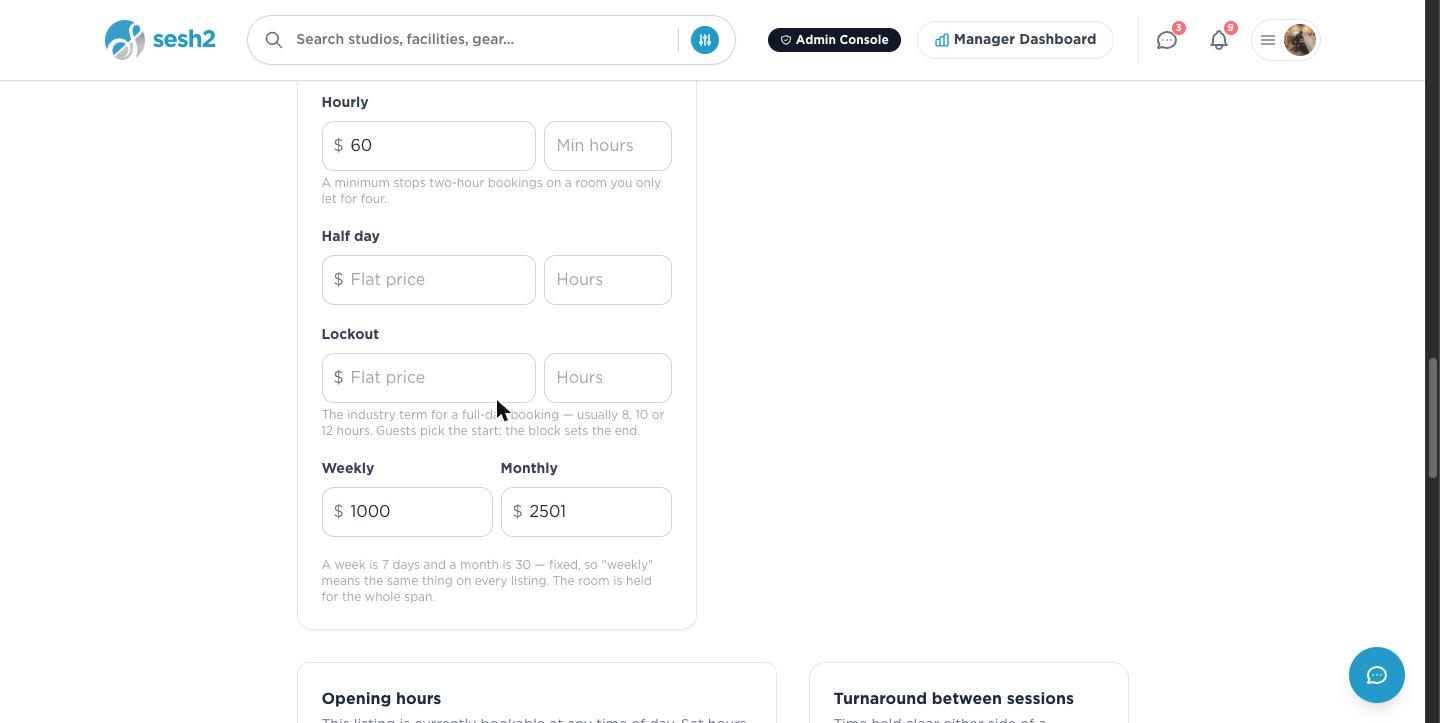
A listing can offer any combination of these, all set from the Rate card in Edit Listing:
- ·Hourly — priced per hour, with an optional minimum so a room built for a full session can't be booked for twenty minutes.
- ·Half day — a flat price for a fixed number of hours, for the studios that sell in blocks rather than by the hour.
- ·Lockout — the industry term for a full-day booking, usually 8, 10, or 12 hours. The guest picks the start time; the block you set decides the end.
- ·Weekly — a flat price for 7 days, fixed the same way on every SESH listing.
- ·Monthly — a flat price for 30 days, same reasoning as weekly.
On desktop
What a guest actually sees
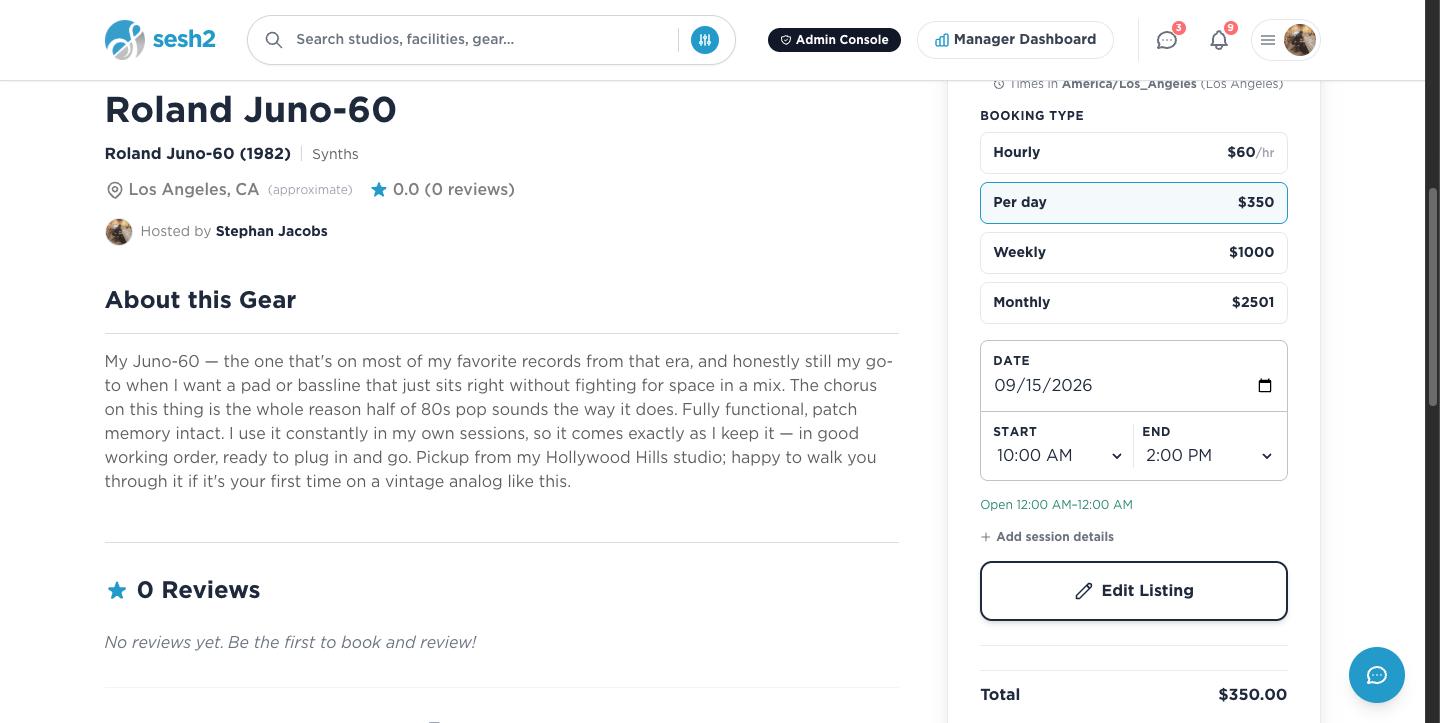
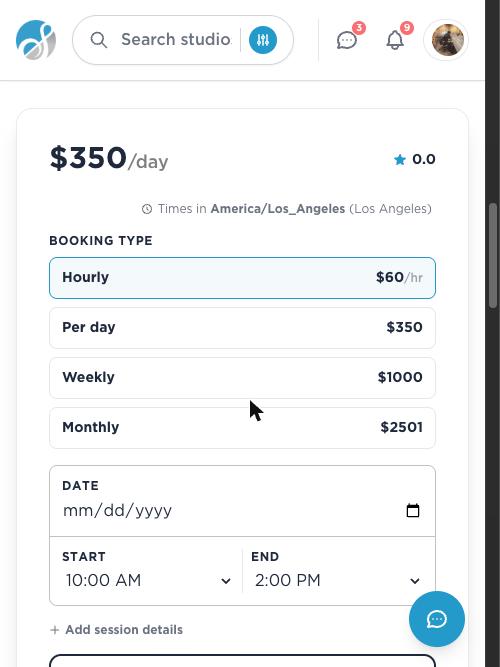
Every rate type you've filled in shows up as an option on your listing page, cheapest detail first but every option visible — a guest booking a full day sees the day rate right alongside the hourly one, and picks whichever fits.
Worked example from a real listing: $60/hr, $350/day, $1,000/week, $2,501/month. A guest booking 10:00 AM–2:00 PM at the day rate sees a total of exactly $350.00 — the flat rate, not four hours times the hourly price.
On desktop
On your phone
A day rate reserves the whole day
Book at Per day, Lockout, Weekly, or Monthly, and the entire span is held exclusively for that guest — not just the specific hours they typed in. Someone else can't book the remaining hours of a day you've already sold at the day rate; the room is genuinely theirs until the span ends.
Hourly bookings work the way you'd expect — only the exact hours booked are blocked, so the rest of the day stays open for other guests.
Worth knowing
- ·A rate card is entirely optional — skip it and your listing's single headline price keeps working exactly as it did before.
- ·If a room is often booked as a half day or a full lockout rather than by the hour, add those rates specifically. Guests read a missing rate as "not offered here," even if the math would work out the same hourly.
- ·Changing a rate only affects bookings made after the change — anything already booked keeps the price the guest paid.
Setting up and using Facilities